Most small teams don't need what Sisense is selling
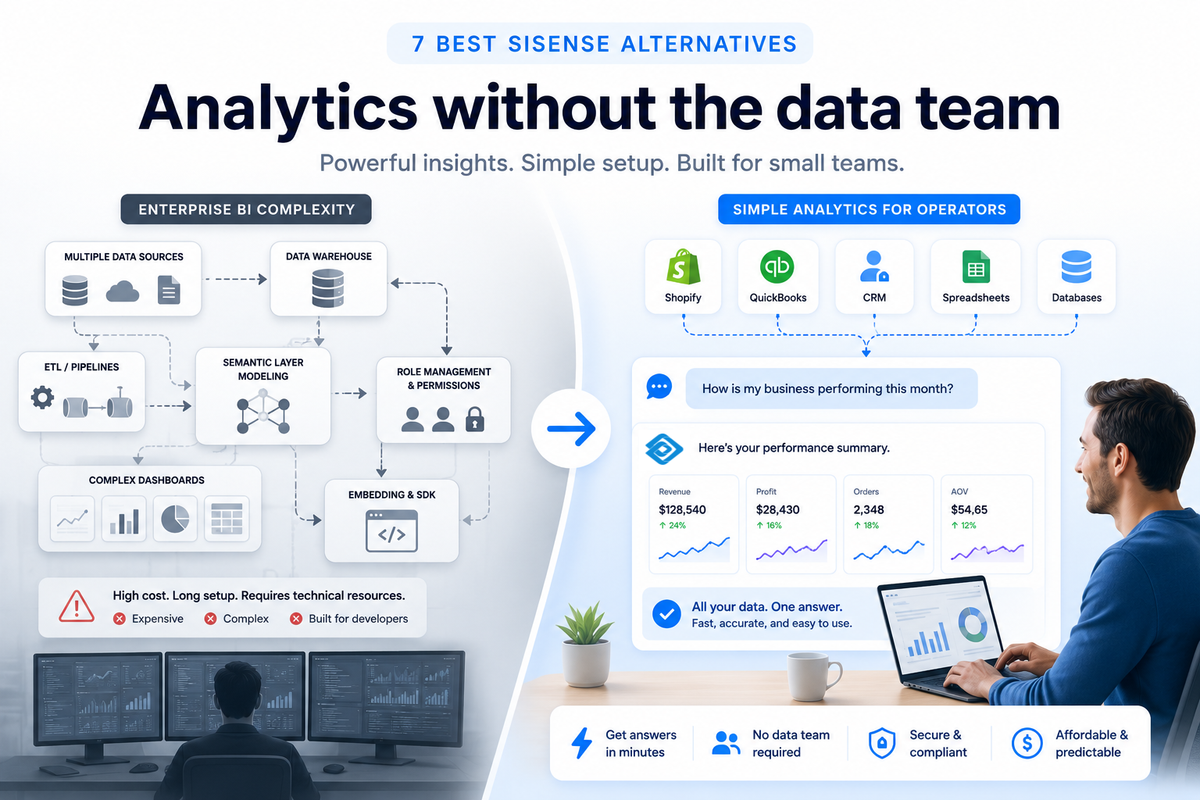
Seven analytics tools handle the work most small teams need, at a fraction of the cost and complexity Sisense charges for. Sisense starts at $399/month and scales to $1,299/month on a credit-based model built around embedded analytics, Compose SDK, designer and viewer seats, storage allotments, and data modeling tools (Sisense pricing page).
If you run a 20-person company with Shopify and QuickBooks, Sisense's pricing buys capabilities most small teams will never touch. Credit allotments, tiered designer seats, and embedding support (Sisense pricing page) are designed for teams building analytics into their own products, not for operators pulling numbers between customer calls and payroll.
The seven tools in this guide address the gaps Sisense leaves open for SMB operators: lower cost, faster setup, and analysis that does not require a data engineering background to get started.
Key takeaways
- AnalysisGPT is the strongest fit for non-technical operators who need plain-English answers across multiple business tools. Starts at £0 (trial), £20 (Excel), or £90 (Pro), billed every 30 days.
- Power BI is the cheapest option if your team already runs Microsoft 365. Pro costs $14/user/month.
- Zoho Analytics is the strongest budget fit for small teams that want a full analytics platform. Basic starts at $24/month billed annually.
- Metabase is the strongest fit for technically comfortable teams willing to self-host its open-source edition.
- Tableau, Looker, and ThoughtSpot are strong platforms, but all three assume you have a data team or analyst on staff in their standard configurations.
At-a-glance comparison
Seven alternatives range from free open-source (Metabase) to an estimated $66,000 per year (Looker), with most SMB-suited options landing under $100 per month. Non-technical fit and data source coverage are the largest differentiators once price is within range.
What to look for in a Sisense alternative
Three factors determine whether an analytics tool works for SMB operators without a data team: time to first answer, data connections that match your stack, and total cost for your headcount.
Time from signup to first answer
Most non-technical SMB operators need their first useful answer within hours of signing up. Sisense's trial flow and pricing page emphasize connecting data, modeling it, and embedding analytics into an app. The setup can be heavier than a small operator needs for internal reporting.
The alternatives worth considering let a non-technical operator connect a data source and ask a question on the same day. Some tools handle this through browser-based onboarding with no software installation required. Others (Power BI, Tableau) expect you to install desktop software and configure data models first. The difference matters because the tool your team uses is the one that gave them an answer before they ran out of patience.
Data connections that match your stack
The analytics tool you choose is only useful if it connects to the systems your business already runs. Most small companies rely on three to five core tools: an ecommerce platform, an accounting tool, a CRM, spreadsheets, and maybe a POS system.
Some tools connect natively to ecommerce and accounting platforms. Others focus on database connections or cloud data platforms (Metabase product page) (ThoughtSpot product page), which means your data needs to be centralized before the tool can reach it. Zoho Analytics claims 500+ connectors (Zoho features page), covering most SMB tools. Power BI connects deeply to Microsoft 365 and Azure (Power BI product page) but is a weaker fit outside that ecosystem.
Check your own stack before comparing feature lists. The tool with 500 connectors is not useful if it does not connect to the three systems you run.
Total cost for a small team
Total cost for most SMB teams using the alternatives in this guide lands well under $100 per month. Sisense starts at $399/month on its Launch tier and uses a credit-based pricing model that makes total costs hard to predict. For a five-person team, the annual bill lands between $4,800 and $15,600 before you factor in developer time for setup and maintenance.
Most alternatives in this guide start below $100/month. Power BI Pro is $14/user/month. Zoho Analytics Basic is $24/month billed annually. Metabase's open-source edition is free if you self-host.
Per-user pricing (Power BI, Tableau, ThoughtSpot) can climb fast when you add viewers and collaborators. Flat-rate pricing (AnalysisGPT, Zoho) stays predictable as your team grows. Run the math for your actual headcount, not just the advertised starting price.
AnalysisGPT is our platform, and it appears first in this guide because we evaluate Sisense alternatives through the lens of non-technical SMB operators. The remaining tools are assessed using public product documentation, current pricing pages where available, technical requirements, data-source fit, and usefulness for small teams.
AnalysisGPT
AnalysisGPT is a conversational analytics platform for non-technical SMB operators who need answers from business data without learning a BI tool. Connect verified sources such as databases, Shopify, or Excel/CSV files, then ask questions in plain English. It is strongest for cross-source operational questions and is not a replacement for embedded analytics, customer-facing dashboards, or a governed enterprise BI stack.
Who it works for: SMB founders, operations leads, and finance managers who run on multiple business systems and zero analysts.
Best for analyzing: Getting cross-source answers from databases, Shopify, and spreadsheets in one place.
Why it belongs on this list: Sisense expects modeled data and technical setup. AnalysisGPT skips both. You connect a data source, ask a question in plain English, and get an answer. The large language model (LLM) sees only column fields and table metadata, the LLM formats the query, read-only access executes the query, and user data stays in the customer's systems.
The main business question this tool answers: "How is my business doing across all my systems right now?"
Key features and functions:
- Natural language queries: Ask business questions in plain English and get answers and charts with a plain-English summary of what the numbers mean
- Cross-source analysis: Combine data from multiple connected sources in a single question
- Verified data connections: Connect databases, Shopify (live), and Excel/CSV files directly
- Data stays in your systems: The model reads schema structure only; a separate read-only connection executes queries against your data
Choose this if: You want answers from your business data today, you don't have (or want) a data team, and your data lives across multiple tools like Shopify, databases, or spreadsheets.
Skip this if: You need a full enterprise BI platform with governed semantic layers, embedded customer-facing analytics, or hundreds of pre-built dashboard templates for a large technical team.
Pricing: Trial: £0. Excel: £20 billed every 30 days. Pro: £90 billed every 30 days. Enterprise: custom. Check AnalysisGPT's current integrations list for newly added apps.
Compliance: AnalysisGPT is ISO 27001, ISO 42001, SOC 2 Type II, and GDPR compliant.
Power BI
Microsoft's Power BI is a reporting and visualization platform with deep ties to the Microsoft 365 and Azure ecosystem (Power BI product page). For small businesses already paying for Microsoft 365 E5, Power BI Pro is included at no extra cost (Microsoft pricing), which makes it a strong starting point if your data lives in Excel, SharePoint, or Azure SQL.
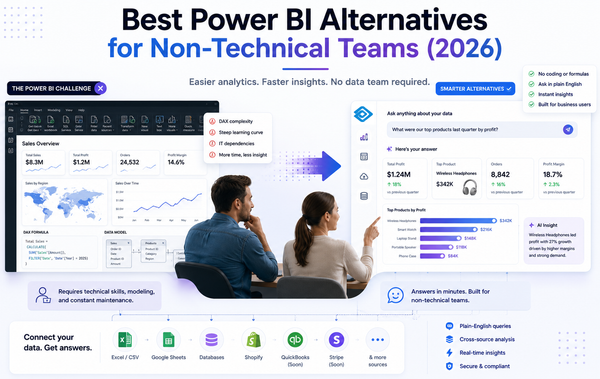
Who it works for: Small teams with at least one person comfortable building data models and writing Data Analysis Expressions (DAX) formulas.
Best for analyzing: Building governed dashboards and reports on top of Microsoft-ecosystem data.
Why it belongs on this list: Sisense and Power BI share the same category (enterprise-grade BI), but Power BI's pricing is more accessible for smaller teams. A free account tier lets you explore the tool before committing, and Pro starts at $14 per user per month paid yearly.
The main business question this tool answers: "What do our numbers look like in a structured, repeatable dashboard?"
Key features and functions:
- 100+ data connectors: Pull from databases, cloud services, and flat files
- AI insights and Copilot integration: Surface anomalies and generate summaries with natural language
- Excel integration: Familiar pivot-table workflows inside the BI layer
- Governance tools: Row-level security, data lineage, and sensitivity labels
- Free tier available: Start building reports at no cost
Choose this if: Your company already runs on Microsoft 365, you have someone comfortable with data modeling, and you need structured, repeatable dashboards.
Skip this if: Your team has no one who can build data models, or your primary data sources sit outside the Microsoft ecosystem (Shopify, QuickBooks, standalone databases).
Pricing: Free account tier. Pro: $14 per user per month paid yearly. Premium Per User: $24 per user per month paid yearly. Pro is included in Microsoft 365 E5.
Zoho Analytics
Zoho Analytics bundles a drag-and-drop report builder, an AI assistant called Zia, and connections to 500+ data sources (Zoho features page) at a price point that undercuts most BI tools on this list. A free plan covers two users and 10,000 rows, and a 15-day free trial requires no credit card.
Who it works for: Cost-conscious SMBs that want visual reporting and basic AI queries without enterprise BI complexity.
Best for analyzing: Building scheduled reports and dashboards across multiple SaaS tools on a tight budget.
Why it belongs on this list: Sisense starts at $399/month and targets enterprise teams. Zoho Analytics starts with a free tier, publishes straightforward pricing, and keeps the learning curve shallow with drag-and-drop report creation and natural language questions through Zia (Zoho features page).
The main business question this tool answers: "Can we get scheduled dashboards across our tools without paying enterprise BI prices?"
Key features and functions:
- AI assistant Zia: Ask questions in natural language and get chart-based answers
- 500+ data sources: Pre-built connectors for SaaS tools, databases, and cloud storage (Zoho features page)
- Drag-and-drop builder: Create reports and dashboards without writing code
- Embedded BI: White-label analytics into your own product or portal
- Predictive AI and data pipelines: Forecast trends and automate data preparation
Choose this if: You need affordable, visual reporting across many SaaS tools and you're comfortable learning a dashboard builder.
Skip this if: You want conversational, question-and-answer analysis rather than dashboard building, or your team doesn't have time to set up report templates.
Pricing: Free plan for two users and 10,000 rows. Basic: $24 per month billed annually. 15-day free trial, no credit card required.
Metabase
Metabase's core product is free and open source. Self-host it on your own infrastructure and pay nothing. Teams that prefer managed hosting can start with Metabase Cloud at $100 per month for five users included.
Who it works for: Technical-adjacent teams (or teams with a developer available for initial setup) that want a visual query builder on top of their own database.
Best for analyzing: Running ad hoc queries and building internal dashboards on SQL databases without buying an enterprise BI license.
Why it belongs on this list: Sisense requires a commercial license and significant setup. Metabase's open-source option removes the licensing cost entirely (Metabase pricing), and its visual query builder (Metabase product page) lets non-SQL users explore data once someone configures the database connection.
The main business question this tool answers: "What's happening in our database right now, and can the team explore it without writing SQL?"
Key features and functions:
- Visual query builder: Point-and-click exploration of database tables without SQL
- Open-source self-hosted option: No licensing cost for the core product (Metabase pricing)
- 15+ visualization types: Charts, maps, tables, and pivot tables for ad hoc analysis
- Embedding support: Embed charts and dashboards in internal tools or customer-facing products
- SOC 2 Type II certified: Enterprise-grade security certification for cloud-hosted plans (Metabase product page)
Choose this if: You have a database, someone on the team who can handle initial setup, and you want a free or low-cost way to give the broader team self-serve access to data.
Skip this if: Your data lives in SaaS tools (Shopify, QuickBooks) rather than a centralized database, or no one on the team can manage the initial configuration and hosting.
Pricing: Free self-hosted open source. Starter Cloud: $100 per month, five users included.
The next tools are valid alternatives, but they are not automatically simpler. Evaluate them only if your team has modeled data, technical ownership, or a specific reason to stay in enterprise BI.
Tableau
Tableau is a well-established analytics platform for teams with dedicated analysts who need polished visual reporting. Teams with prepared data models get interactive dashboards that communicate well across departments, though the setup investment is significant.
Who it works for: Mid-to-large teams with at least one analyst who can model data and build workbooks.
Best for analyzing: Publishing interactive dashboards from prepared datasets.
Why it belongs on this list: Tableau set the standard for visual analytics, and its Desktop, Server, Cloud, and Tableau+ offerings cover nearly every deployment model.
The main business question this tool answers: "How do we turn our modeled data into visual reports the whole organization can read?"
Key features and functions:
- Drag-and-drop visualization builder: 15+ chart types with point-and-click authoring (Tableau products page)
- Desktop/Server/Cloud/Tableau+ deployment options: Run locally, on-premise, or fully hosted
- Agentic analytics: AI-assisted analysis and natural language queries in newer editions
- Enterprise governance: Role-based permissions, data certification, and lineage tracking
Choose this if: You have analyst headcount, your data is already modeled, and your priority is polished visual reporting.
Skip this if: You don't have someone to build and maintain workbooks, or your data still lives in disconnected spreadsheets and SaaS tools.
Pricing: Creator $75/user/month, Explorer $42/user/month, Viewer $15/user/month (Standard Edition, billed annually). Enterprise Edition runs higher: Creator $115, Explorer $70, Viewer $35. A free Desktop edition exists but does not include sharing.
Looker
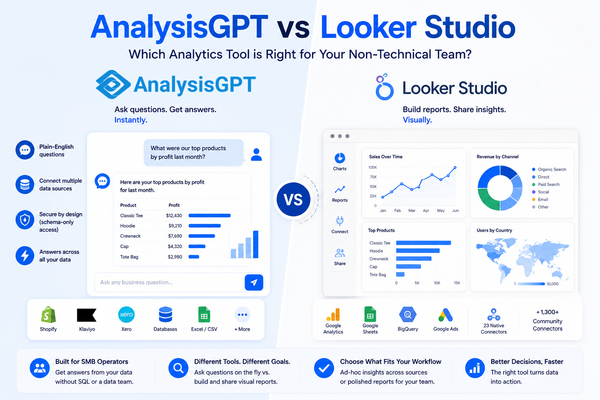
Looker puts a semantic layer between your data and your reports. Every metric is defined once in LookML (Google's proprietary data modeling language) and version-controlled, which means teams across the organization pull from the same governed numbers rather than competing spreadsheets (Looker product page).
Who it works for: Companies already invested in Google Cloud with engineering resources to maintain a LookML layer.
Best for analyzing: Governed, consistent metrics across large teams.
Why it belongs on this list: Looker's semantic layer eliminates the "which spreadsheet is right?" problem, and Gemini-powered Conversational Analytics adds a natural language interface (Looker product page).
The main business question this tool answers: "How do we make sure every team uses the same definitions for the same metrics?"
Key features and functions:
- LookML semantic layer: Define metrics once, reuse everywhere, version-control changes
- Conversational Analytics with Gemini: Ask questions in natural language against governed data
- BigQuery-native architecture: Built for Google Cloud environments (Looker product page)
- Embedded analytics: Integrate dashboards and reports into customer-facing products
- Standard, Enterprise, and Embed editions: Tiered functionality for different deployment needs (Looker pricing page)
Choose this if: Your data lives in BigQuery, you have engineers who can write and maintain LookML, and metric consistency is your top priority.
Skip this if: You don't use Google Cloud, your team can't maintain a modeling layer, or your team needs answers before a full implementation is complete.
Pricing: Quote-based with no published prices (Looker pricing page). Secondary sources estimate starting costs around $66,000 per year.
ThoughtSpot
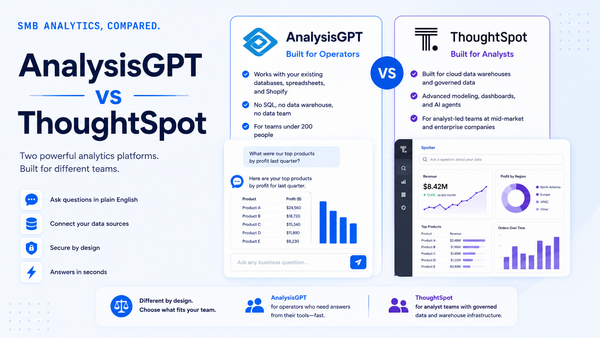
ThoughtSpot treats analytics like a search engine. Type a question, get a chart. The interface is designed for business users who want to explore data without writing queries or waiting for an analyst to build a report, provided a data team has modeled the data in a cloud platform first (ThoughtSpot product page).
Who it works for: Teams that have a cloud data warehouse with modeled data and want self-serve exploration without traditional dashboards.
Best for analyzing: Ad-hoc, search-driven analysis by business users, once a data team has modeled the underlying data.
Why it belongs on this list: ThoughtSpot is an enterprise tool designed for business-user self-serve exploration, provided the data layer underneath is well-structured and maintained by a technical team.
The main business question this tool answers: "How do we let business users explore data on their own without building dashboards for every question?"
Key features and functions:
- Search-driven analytics: Type a question in natural language and get a visualization
- Auto-analyze: AI surfaces patterns and anomalies without manual exploration
- Liveboards: Real-time, interactive dashboards built from search results
- Cloud data platform connections: Connects to Snowflake, BigQuery, Databricks, Redshift, and more
- Embedded analytics SDK: Build analytics into your own products (ThoughtSpot product page)
Choose this if: You already have a cloud data warehouse with modeled data, your business users want to explore without analyst bottlenecks, and you have a data team to maintain the platform.
Skip this if: Your data isn't centralized in a cloud warehouse yet, or your team is too small to justify the setup and maintenance a data team provides.
Pricing: Essentials starts at $25/user/month billed annually. Pro is $50/user/month or $0.10 per query. Enterprise pricing is custom. Free trials are available for Essentials and Pro.
How to choose the right analytics tool
The right analytics tool depends on your team's technical capacity, your budget, and where your data lives today. A 20-person company with data in Shopify, QuickBooks, and Google Sheets needs a different tool than a 500-person company with a Snowflake warehouse and three analysts.
Match the tool to your team size and budget
Teams under 10 with variable collaborator counts get more predictable costs from flat-rate plans (AnalysisGPT, Zoho Analytics) than from per-user tools (Power BI, Tableau, ThoughtSpot). Start with what your team can realistically adopt this week.
Match the tool to your data maturity
Your data maturity matters more than features. A tool you can't set up is a tool you won't use.
No data warehouse, no analyst: You're working from spreadsheets, CSVs, and SaaS tools. AnalysisGPT, Zoho Analytics, and Metabase (open source) all work without a warehouse (Metabase pricing). AnalysisGPT requires no SQL or ETL. Zoho connects to 500+ sources but gets complex at scale (Zoho features page). Metabase needs a database connection and someone to manage it.
Some structured data, one technical person: Power BI and Metabase Starter both fit here. Power BI is stronger if your company already uses Microsoft 365 (Power BI product page). Metabase is stronger if you want an open-source tool with a visual query builder (Metabase product page).
Cloud warehouse, engineering team available: Tableau, Looker, and ThoughtSpot assume this setup. Tableau is for visual reporting (Tableau products page). Looker is for governed metrics (Looker product page). ThoughtSpot is for user-driven search exploration (ThoughtSpot product page). All three require ongoing technical maintenance in their standard configurations.
Frequently asked questions
Migration risk, pricing predictability, and stack compatibility are the three concerns that determine whether a Sisense replacement sticks.
Is Sisense still a good analytics tool?
Sisense remains a capable platform for teams with developer resources and enterprise budgets. Pricing starts at $399/month for the Launch tier with a credit-based model, and a seven-day free trial is available. The credit-based pricing and technical setup requirements make it a heavier commitment than most SMB teams need.
What is the cheapest Sisense alternative?
Metabase's open-source edition is free if you can self-host it. Power BI Pro starts at $14/user/month, and Zoho Analytics Basic begins at $24/month billed annually. AnalysisGPT offers a £0 trial. The cheapest option depends on whether you're optimizing for sticker price or total cost including setup time and technical overhead.
Can I switch from Sisense without losing my dashboards?
No analytics platform offers a one-click Sisense migration. The practical path is to identify which reports your team uses then rebuild those in your new tool. Export the underlying data queries and logic rather than trying to replicate dashboard layouts. Timeline depends on how many reports your team actively uses and the complexity of your data sources.
Do I need a data warehouse for analytics?
Not for every tool. AnalysisGPT connects directly to databases and accepts Excel or CSV uploads without a warehouse. Power BI, Zoho Analytics, and Metabase can all connect to databases or files without a centralized warehouse. Looker is BigQuery-native and assumes a Google Cloud data environment (Looker product page). ThoughtSpot connects to cloud data platforms like Snowflake, BigQuery, and Redshift (ThoughtSpot product page). If you don't already have a warehouse, start with a tool that works without one.
What is the best analytics tool for a Shopify business?
AnalysisGPT has a Shopify connector that pulls live data directly into conversational analytics. Zoho Analytics also connects to Shopify through its 500+ integrations (Zoho features page). Power BI can connect to Shopify through third-party connectors or API calls but requires more setup. For a Shopify merchant who wants answers without building reports, AnalysisGPT is a strong fit.
Is Power BI good for small businesses?
Power BI Pro at $14/user/month is one of the most affordable options in this category, and it integrates deeply with Microsoft 365 and Azure (Power BI product page). The trade-off is complexity. Power BI assumes familiarity with data modeling, DAX formulas, and report building. Small businesses already running Microsoft 365 E5 get Power BI Pro included (Microsoft pricing), which makes it effectively free. Small businesses without Microsoft experience or a data-comfortable team member will find the learning curve steep.
Conclusion
Seven alternatives exist for teams that cannot justify Sisense's cost or technical requirements. If your team doesn't have developer resources or a $399/month starting budget, at least one of them is a stronger fit than Sisense. The right pick depends on your data maturity, technical capacity, and how fast you need answers.
Explore AnalysisGPT for plain-English analytics across connected business data.