Most analytics listicles recommend tools built for teams with a dedicated analyst or a full-time data person. That's not helpful if you're running a five-person ecommerce operation and need answers between shipping orders and updating ad campaigns. The tools below were filtered for one question: can a small team get usable answers without hiring a specialist? Each entry includes pricing, data source coverage, and an honest take on where the tool fits and where it falls short. If you sell online and your "data team" is whoever has a free afternoon, keep reading.
Key takeaways
- Cross-source analysis matters most. The tools that save SMBs the most time pull data from multiple systems into one answer, rather than making you toggle between dashboards.
- Free tiers have real limits. GA4, Mixpanel, and Triple Whale all offer free plans, but each one caps features or data volume in ways that affect daily decisions.
- GA4 and Shopify Analytics are baselines, not answers. Both cover core store and traffic metrics, but neither solves cross-source questions about margins, inventory, ad spend, and customer value.
- Enterprise BI tools are powerful, but small teams should prioritize speed. Tools that return a useful answer within a week without warehouse setup or SQL beat tools that require months of configuration.
- The right tool depends on data maturity. File uploads, single-platform reporting, cross-source questions, and event-level behavior tracking each call for a different tool category.
What to look for in an SMB analytics tool
Choosing an analytics tool when you don't have a data team means optimizing for speed, coverage, and cost in that order. The three criteria below separate tools that work for small teams from tools that work for small teams only after months of configuration.
Time to first answer
The single best predictor of whether a tool sticks is how fast your team gets a useful answer. Enterprise platforms often require weeks of implementation: data modeling, dashboard building, user training. Small teams abandon tools that take longer to set up than the problem they're solving. Look for platforms where you can connect a data source and ask a question on the same day, ideally the same hour. File upload, pre-built connectors, and natural language interfaces all reduce time to first answer.
Data source coverage
Small ecommerce teams typically run Shopify (or another platform), a payment processor, an ad channel or two, and a spreadsheet for everything else. A tool that only covers web traffic leaves you exporting CSVs to answer questions about margins, ad spend, or inventory. The most useful tools for SMBs connect to multiple source types: ecommerce platforms, databases, spreadsheets, and marketing channels. Fewer manual exports means fewer errors and faster decisions.
Total cost for a small team
Sticker price matters, but it's not the whole picture. Some tools charge per seat, per event, or per query volume in ways that scale faster than your revenue. Others bundle features behind enterprise tiers that a five-person team will never need. Calculate total cost as: subscription price plus the hours your team spends on setup, maintenance, and manual workarounds. A tool with a higher subscription but zero setup time can cost less over a quarter than a free tool that needs 10 hours of configuration every month.
At-a-glance comparison
A note on our methodology: AnalysisGPT is our product, and it appears first in the list. We built it to solve the problem this article covers, so we think the placement is fair, but you should know we have skin in the game. The order prioritizes usefulness for small teams with fragmented business data, not market share. Every other tool was evaluated against the same criteria: time to first answer, data source coverage, and total cost for a small team. Pricing and feature details were checked against public product pages where available; verify current pricing before purchase.
AnalysisGPT
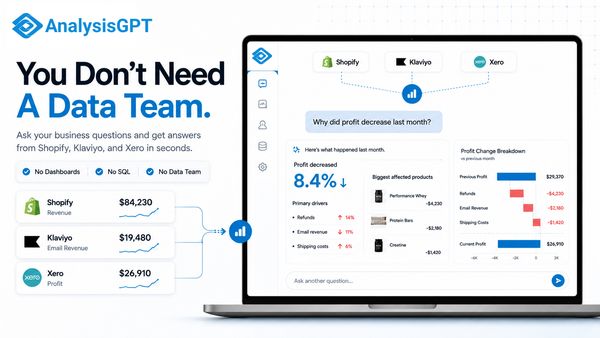
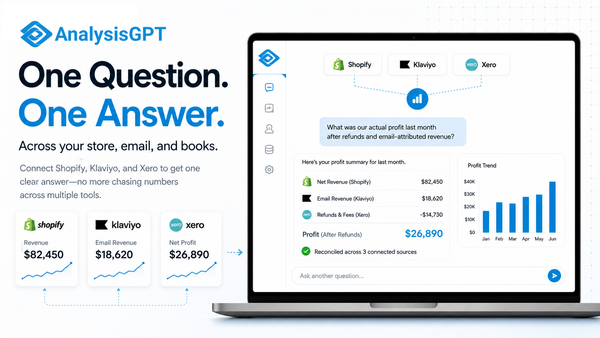
AnalysisGPT is a conversational analytics platform that lets non-technical operators ask business questions in plain English and get answers from connected data sources without writing SQL or building dashboards.
Who it works for: SMB founders, ops leads, and managers who need answers from their data but don't have a data team.
Best for analyzing: Cross-source questions that combine Shopify sales, database records, and spreadsheet data into a single answer.
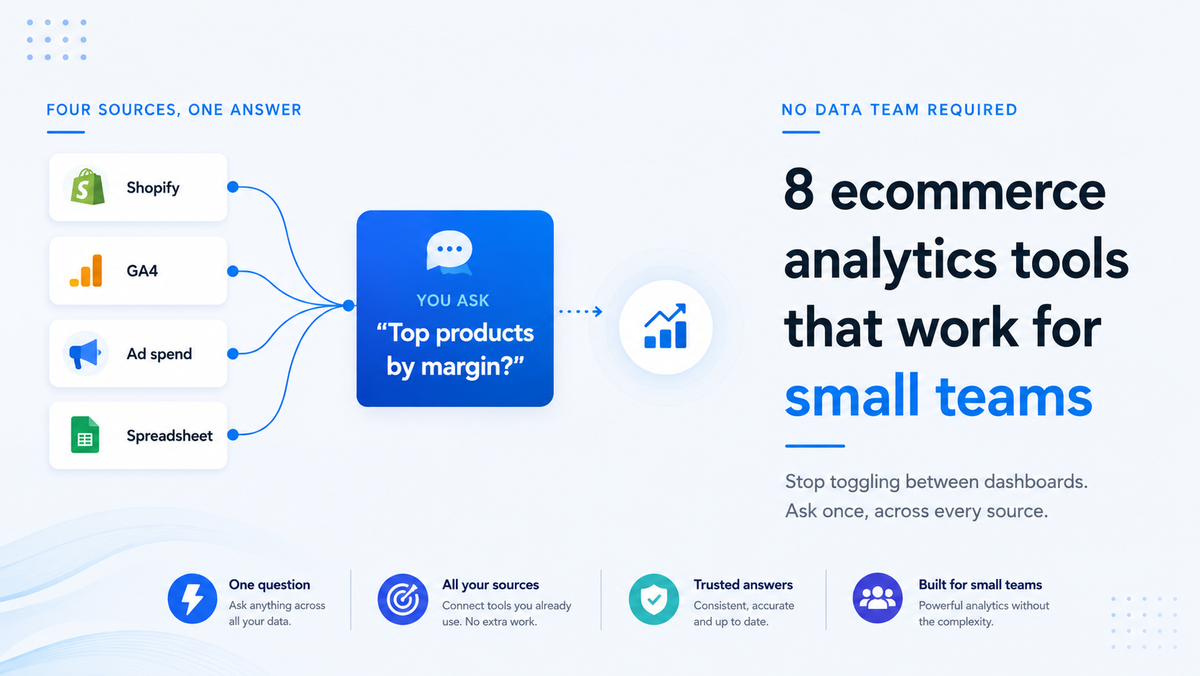
Why it belongs on this list: Most analytics tools assume you'll build dashboards or write queries. AnalysisGPT reduces that setup by letting operators ask questions directly against connected sources. Connect a database, upload a spreadsheet, or plug in your Shopify store, then ask a question like "What were my top 10 products by margin last quarter?" The goal is to return a usable answer, not make a non-technical operator build a dashboard before they can start.
AnalysisGPT supports database connections, Excel/CSV upload, and Shopify connections, with additional integrations rolling out over time. The LLM sees only column fields and table metadata, the LLM formats the query, read-only access executes the query, and user data stays in the customer's systems. AnalysisGPT is ISO 27001, ISO 42001, SOC 2 Type II, and GDPR compliant.
Key features and functions:
- Natural language queries: Ask questions in plain English across any connected source.
- Cross-source analysis: Combine data from databases, Shopify, and spreadsheets without ETL.
- Two entry points: Database connections (credentials) or Excel/CSV upload (drag-and-drop).
- Read-only query execution: Queries run through read-only access while customer data stays in customer systems.
The connector library is still expanding, so teams relying heavily on tools beyond Shopify and databases may need to supplement with CSV exports for now.
Pricing: Trial: free (time-limited) | Excel: £20, billed every 30 days | Pro: £90, billed every 30 days | Enterprise: custom
Choose AnalysisGPT if: You want answers from your data today, not dashboards next quarter.
Skip it if: You need deep ad attribution or product-level event tracking; a specialized tool fits better for those use cases.
AnalysisGPT is best evaluated by trying it with a real spreadsheet or connected source rather than by reading about it.
Google Analytics 4
GA4 is the default web analytics platform for ecommerce, used by over 31 million websites, and its free tier makes it the first analytics tool most small teams encounter.
Who it works for: Teams that need web traffic, conversion, and campaign data in one place.
Best for analyzing: Website visitor behavior, traffic sources, and Google Ads performance.
Why it belongs on this list: GA4 is free for the vast majority of small ecommerce stores, and its native integrations with Google Ads and Search Console mean you can track campaigns without third-party connectors. For teams spending on Google Ads, the built-in attribution models provide value that would cost hundreds elsewhere.
The tradeoff is complexity. GA4's event-based data model requires more setup than its predecessor, and the reporting interface assumes familiarity with analytics concepts like segments, explorations, and custom dimensions. Large explorations can be sampled, and high-cardinality reports can group rows into an "(other)" row. GA4 flags these issues in the data quality icon.
Key features and functions:
- Event-based tracking: Flexible model for pageviews, purchases, and custom events.
- Google ecosystem integration: Native connections to Google Ads, Search Console, and BigQuery.
- Free tier: Full-featured analytics at no cost for most store sizes.
- Audience building: Create segments for remarketing across Google properties.
GA4 excels at answering "where is my traffic coming from and what are visitors doing on-site?" Questions that span outside the Google ecosystem, like combining ad data with inventory or margin data, require exports or third-party tools.
Pricing: Free; GA4 360 enterprise pricing available on request.
Choose GA4 if: Google Ads is a significant channel and you need campaign-level conversion tracking.
Skip it if: Your questions go beyond web traffic into inventory, margins, or multi-system analysis.
Triple Whale
Triple Whale is a DTC-focused analytics platform that consolidates ad spend, attribution, and revenue data across marketing channels into a single dashboard, with a free tier that covers basic tracking.
Who it works for: DTC brands spending on paid advertising across Meta, Google, TikTok, and other channels.
Best for analyzing: Ad spend efficiency, return on ad spend (ROAS), and marketing attribution.
Why it belongs on this list: For ecommerce teams running paid campaigns on multiple platforms, Triple Whale solves a real problem: reconciling what each ad platform claims it drove versus what your store earned. The platform offers first-party attribution across Meta, Google, TikTok, and other ad channels, with 60+ one-click integrations.
The free tier includes basic tracking and supports up to 10 users, which covers most small teams. Paid plans start at $179/month for the Starter tier, with Advanced at $259/month and Custom from $539/month. Pricing scales with gross merchandise volume (GMV) and is based on a 12-month commitment, so costs rise as your store grows.
Key features and functions:
- Multi-channel attribution: First-party tracking across major ad platforms.
- 60+ integrations: One-click connections to ad, ecommerce, and marketing tools.
- Free tier: Basic tracking and up to 10 users at $0/month.
- Creative analytics: Performance data tied to specific ad creatives.
Triple Whale is strongest when your primary question is "which ad campaigns are driving profitable revenue?" Teams whose questions extend beyond ad performance into operations, finance, or inventory will need additional tools.
Pricing: Free: $0/month | Starter: $179/month | Advanced: $259/month | Custom: from $539/month. Pricing varies by GMV tier and is based on a 12-month commitment.
Choose Triple Whale if: Paid advertising is your primary growth channel and you need trustworthy attribution.
Skip it if: Your analytics questions center on operations, margins, or data outside the ad-and-revenue pipeline.
Shopify Analytics
Shopify Analytics is built into every Shopify plan and provides sales, traffic, and conversion reports without any additional setup or cost beyond your existing subscription.
Who it works for: Shopify store owners who want quick access to core store metrics.
Best for analyzing: Sales performance, traffic sources, and conversion rates within the Shopify ecosystem.
Why it belongs on this list: Zero setup time makes Shopify Analytics the fastest path from question to answer for any Shopify merchant. Reports for sales, sessions, returning customers, and top products are available immediately in the Shopify admin. For small teams already paying for Shopify, the included analytics cover daily operational questions without adding another subscription.
The limitation is scope. Shopify Analytics reports on what happens inside Shopify. Questions that require combining store data with ad spend, email performance, accounting figures, or inventory from another system fall outside what Shopify Analytics' built-in reports currently cover.
Key features and functions:
- Built-in reports: Sales, traffic, conversion, and customer reports in the Shopify admin.
- No additional cost: Included with all Shopify plans.
- Live dashboards: Real-time overview of store performance.
- Customer segmentation: Basic cohort and repeat purchase analysis on higher plans.
With 4.9 million stores on the platform, Shopify's built-in analytics is a default reporting layer for a large share of ecommerce operators. Most teams outgrow it when they start asking questions that cross system boundaries.
Pricing: Included with Shopify plans. Plan pricing varies by region and billing cadence; check Shopify's pricing page for current rates.
Choose Shopify Analytics if: Your questions focus on store-level sales and traffic, and you want zero extra setup.
Skip it if: You need to combine Shopify data with ad platforms, accounting tools, or external databases.
Mixpanel
Mixpanel is an event-based analytics platform designed for tracking user behavior at the action level, giving ecommerce teams granular insight into how customers move through funnels, use product features, and convert.
Who it works for: Product-focused ecommerce teams that want to understand user behavior beyond pageviews.
Best for analyzing: Conversion funnels, feature adoption, retention patterns, and cart behavior.
Why it belongs on this list: Mixpanel answers questions that fall outside what traffic-level tools like GA4 cover. "Where do users drop off between adding to cart and completing checkout?" or "Which product pages lead to the highest repeat purchase rates?" are questions that require event-level data. The free tier includes 1 million monthly events, five saved reports, and 10,000 session replays.
The Growth plan starts at $0 with 1 million events included free, then charges $0.28 per 1,000 events beyond that threshold. For small stores with modest traffic, this usage-based model keeps costs low.
Setup is the main barrier. Mixpanel requires event instrumentation, meaning someone on your team needs to define which user actions to track and implement the tracking code. Teams without development resources may find the initial configuration time-consuming.
Key features and functions:
- Event-level tracking: Monitor product views, cart additions, purchases, and custom events.
- Funnel analysis: Visualize where users drop off in multi-step flows.
- Session replays: 10,000 monthly replays on the free tier.
- Retention reports: Track cohort behavior over time.
Pricing: Free: 1M events/month | Growth: starts $0, then $0.28/1K events above 1M.
Choose Mixpanel if: You have development resources and need to understand user behavior at the event level.
Skip it if: Your team has no one who can implement event tracking, or your questions are about revenue and margins rather than user flows.
Glew
Glew is a multi-channel ecommerce analytics platform that aggregates data from 170+ commerce, marketing, and operations integrations into a unified reporting layer.
Who it works for: Multi-channel ecommerce operators running stores on Shopify, BigCommerce, or similar platforms alongside multiple marketing channels.
Best for analyzing: Cross-channel revenue, customer lifetime value, product performance, and marketing ROI across platforms.
Why it belongs on this list: Glew's integration breadth is its standout feature. With 170+ deep commerce integrations, the platform pulls together data from ecommerce platforms like Shopify and BigCommerce, marketing tools, and operational systems. For teams selling across multiple channels or brands, Glew consolidates reporting that would otherwise require manually combining data from a dozen different dashboards.
The platform focuses on metrics that ecommerce operators care about: customer lifetime value, product-level margins, and channel-specific ROI. Pre-built reports mean less setup time than a general-purpose BI tool.
The main drawback for small teams is transparency on cost. Glew does not publish pricing publicly, and access requires booking a demo. Teams on tight budgets may find it difficult to evaluate without a sales conversation.
Key features and functions:
- 170+ integrations: Deep connections to commerce, marketing, and operations tools.
- Multi-brand aggregation: Consolidated reporting across multiple storefronts.
- Customer analytics: Lifetime value, segmentation, and cohort analysis.
- Product performance: Margin and profitability reporting at the SKU level.
Pricing: Available on request; demo required.
Choose Glew if: You operate on multiple ecommerce platforms or channels and need a single reporting view.
Skip it if: You want to evaluate pricing before talking to a sales team.
Julius AI
Julius AI is a chat-based data analysis tool where users upload files or connect data sources and ask questions in natural language, with responses that include visualizations, statistical analysis, and exportable reports.
Who it works for: Data-curious operators and analysts who want to explore datasets through conversation rather than code.
Best for analyzing: Uploaded datasets, spreadsheet analysis, and exploratory data questions.
Why it belongs on this list: Julius AI provides a conversational interface for data analysis that works without programming knowledge. Free-tier users connect via file uploads (.csv, .xlsx, .sav), Google Drive, OneDrive, and SharePoint. Plus plans and above add database connectors for PostgreSQL, BigQuery, and Snowflake. The platform handles statistical analysis, charting, and data cleaning through a chat interface, making it accessible for non-technical users working with files.
SOC 2 Type II compliance provides a security baseline for teams handling sensitive business data. The free tier includes daily credits with cloud storage connectors, while the Plus plan adds 2,000 monthly credits and database access at $20/month.
Key features and functions:
- Chat-based analysis: Ask questions about your data and get visual, statistical answers.
- File and cloud storage support: CSV, Excel, Google Drive, OneDrive, and SharePoint on free; PostgreSQL, BigQuery, Snowflake from Plus.
- SOC 2 Type II compliant: Enterprise-grade security certification.
- Visualization and export: Charts, tables, and downloadable reports generated from conversation.
The free tier is limited to file uploads and daily credits, which may constrain teams with high-volume analysis needs. Database connectors are reserved for paid plans.
Pricing: Free: $0 | Plus: $20/month | Pro: $45/month.
Choose Julius AI if: You regularly analyze uploaded datasets and want a conversational interface without writing code.
Skip it if: You need live connections to business systems on a free plan, or your primary questions are about real-time store performance rather than file-based analysis.
Matomo
Matomo is a privacy-first web analytics platform that gives ecommerce teams full data ownership, with a free self-hosted option and cloud plans starting at $29/month for teams that prefer managed infrastructure.
Who it works for: Privacy-conscious ecommerce teams, particularly those serving EU customers or operating under strict data regulations.
Best for analyzing: Website traffic, conversion funnels, and ecommerce transactions with full data ownership.
Why it belongs on this list: Matomo's core differentiator is data ownership. Unlike GA4, where data flows through Google's infrastructure, Matomo (self-hosted) keeps all analytics data on your own servers. Matomo positions itself for privacy-conscious analytics, with GDPR, HIPAA, and CCPA compliance claims and built-in anonymization features. No data sampling on any plan means your reports reflect actual traffic, not estimated figures.
Cloud plans start at $29/month for 50,000 monthly hits, excluding tax, with heatmaps and session recordings available as premium features. The self-hosted version is free but requires server maintenance and technical administration.
Key features and functions:
- Full data ownership: Self-hosted option keeps all data on your infrastructure.
- No data sampling: Reports reflect 100% of traffic on every plan.
- Privacy compliance: GDPR, HIPAA, and CCPA compliance features with built-in anonymization.
- Heatmaps and recordings: Visual user behavior analysis on cloud plans.
Matomo excels at answering the same questions as GA4 while keeping data under your control. Teams without server administration experience should budget for cloud hosting or technical support for the self-hosted version.
Pricing: Free self-hosted | Cloud: from $29/month for 50,000 hits/month, excluding tax.
Choose Matomo if: Data privacy and ownership are non-negotiable requirements for your business.
Skip it if: You don't have technical resources for self-hosting and the cloud plan's per-hit pricing exceeds your budget.
How to choose the right tool for your store
The right tool depends on what questions you're asking and how your team works with data today. Price matters, but the match between your data maturity and the tool's assumptions matters more.
Match the tool to your data maturity
Matching tool complexity to where your team is today prevents the setup overhead that kills analytics adoption. Each tool on this list assumes a different starting point.
Most small ecommerce teams sit at Stage 1 or Stage 2. Jumping straight to a Stage 4 tool creates setup overhead that delays the answers you need.
Start with one question, not one dashboard
Teams that succeed with analytics tools share one pattern: they start with a single business question rather than trying to build a full reporting dashboard. "What were our top products by margin last month?" is more actionable than "set up a reporting suite." Identify the one question your team asks most often, then pick the tool that answers it with the least setup. You can always expand later. Tools that require extensive configuration before delivering any value are the ones most likely to sit unused after the first month.
Frequently asked questions
Do I need a data analyst to use ecommerce analytics tools?
Not for every tool on this list. The lowest-lift options are Shopify Analytics for store reporting, GA4 for basic web analytics, AnalysisGPT for plain-English questions across connected sources, Julius AI for prepared files, and Triple Whale for Shopify ad attribution. Mixpanel and self-hosted Matomo are less suitable without technical setup. Match the tool to your team's skill set rather than hiring to fit the tool.
Can I use more than one analytics tool at the same time?
Yes, and many ecommerce teams eventually do. A common pairing is GA4 for web traffic plus a specialized tool for revenue or cross-source questions. Pick one source of truth for each metric to avoid conflicting numbers.
What's the difference between web analytics and ecommerce analytics?
Web analytics (GA4, Matomo) tracks visitor behavior: pageviews, sessions, traffic sources, and conversion rates. Ecommerce analytics connects revenue, product, inventory, and customer data from your store and other business systems. "How many people visited my site" and "what's my margin on my top 10 products" require different data sources.
How much should a small ecommerce team spend on analytics tools?
Several strong options exist at $0, including GA4, Mixpanel's free tier (up to 1M events/month), and Triple Whale's free plan. Paid tools range from £20 billed every 30 days for file-based or connected analysis to $179/month and above for attribution platforms, with custom and usage-based pricing common as stores grow. Budget based on the complexity of your questions: simple store metrics justify a free tool, while cross-source analysis may warrant a paid subscription.
Is Google Analytics 4 enough for ecommerce?
GA4 covers web traffic, conversion tracking, and Google Ads attribution well, and it's free for most stores. It falls short when your questions require data from outside the Google ecosystem. Combining ad spend from Meta with margin data from a spreadsheet, for example, requires manual exports or a separate tool. GA4 is a strong foundation but rarely the only analytics tool a growing ecommerce team uses.
Are these tools affordable alternatives to Tableau or Power BI?
Yes, for small ecommerce teams that need faster answers rather than a full BI stack. Tableau and Power BI are stronger for modeled dashboards and analyst-led reporting, but tools like AnalysisGPT, Shopify Analytics, GA4, Julius AI, and Matomo are easier starting points when you don't have a data team.
How do I evaluate analytics tools if I'm not technical?
Ask three questions: Can I connect my data in under an hour? Can I get an answer without writing code? Does the pricing scale for my store's size? Skip tools that require event instrumentation or SQL unless someone on the team can handle setup. Most tools on this list offer free tiers or low-friction ways to evaluate fit before committing budget.
Get answers from your ecommerce data this week
The best analytics tool for a small team is the one that answers the question you have this week without creating a reporting project no one maintains. Start with the data sources you already use, then choose the tool that gives your team the fastest path to a usable answer.
If your ecommerce data lives across Shopify, spreadsheets, databases, and other systems, AnalysisGPT lets you ask plain-English questions without building another dashboard. Explore AnalysisGPT at analysisgpt.ai.