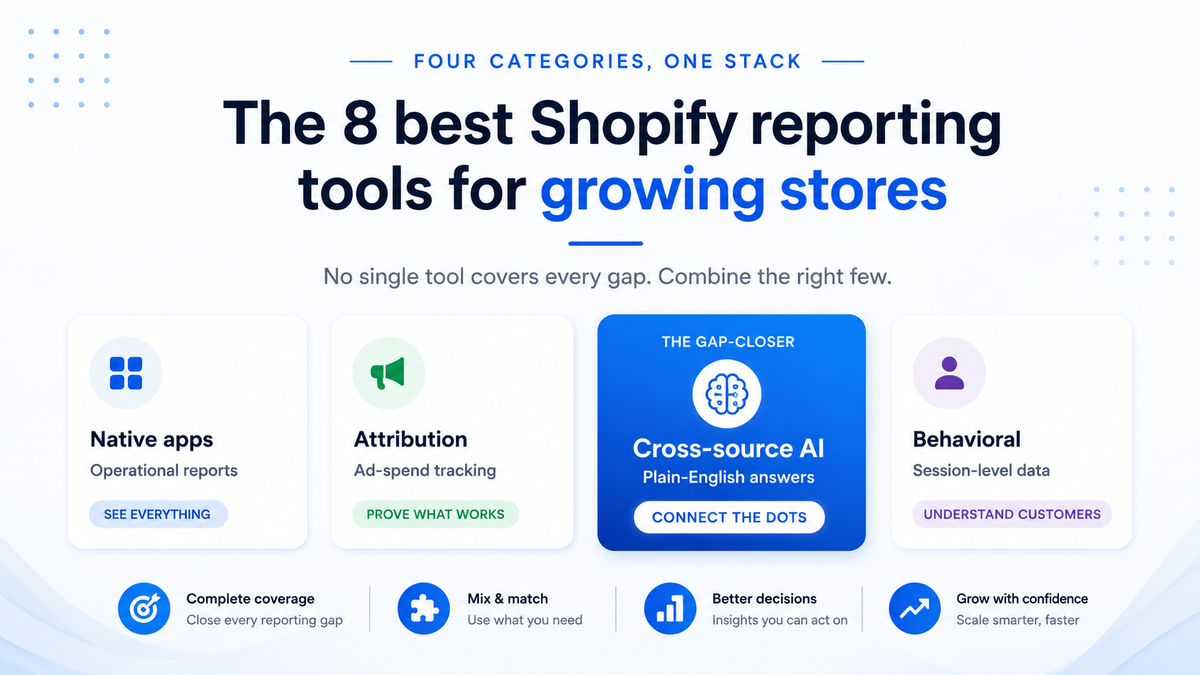
Shopify's built-in analytics covers yesterday's orders and basic sales breakdowns. It does not track ad spend across platforms, cost of goods, or inventory forecasting, and its last-click attribution model credits only the final click before purchase, ignoring the rest of the customer journey. For a growing store spending across multiple ad channels, those blind spots translate directly into wasted budget and missed reorder windows. Eight tools across four categories fill those gaps: native Shopify apps for operational reports, attribution platforms for ad-spend tracking, cross-source analytics for combining data outside Shopify, and behavioral tracking for session-level insights. The right choice depends on your store's reporting maturity, data sources, and budget.
Key takeaways
- A single view connects your store, ad, and accounting data so you stop cross-referencing Shopify, Google Ads, and QuickBooks in separate browser tabs to reconcile the same number.
- Most SMBs already have the data they need. The problem is it lives in tools that don't talk to each other, so the numbers never reconcile on their own.
- You don't need a data warehouse or a data team to get a single view working. Integration platforms and connected analytics tools have made it accessible for businesses with five employees or 500.
- Clean inputs come first. A single view connects your sources but can't fix bad data, so it pays off only when your Shopify categories and QuickBooks chart of accounts are reasonably clean.
At-a-glance comparison
All eight tools differ most on cross-source capability, pricing model, and how much setup they require before you see your first report.
What to look for in a Shopify reporting tool
The criteria that separate tools your team keeps from those it abandons are Shopify data connectivity, cross-source capability, and pricing model.
Shopify data connectivity and setup complexity
Native Shopify apps deliver a working report within minutes of installation. Report Pundit, Better Reports, and Metorik install from the Shopify App Store and pull data immediately with no developer needed. "No developer needed" means your team can generate the first usable report during a single work session. Standalone platforms like Triple Whale and Polar Analytics layer on tracking pixels and onboarding flows, which means a longer setup window and sometimes developer involvement for initial tag placement. If you need reports this week, start with a native app. If you need multi-touch attribution or server-side conversion events, the longer setup pays off within the first reporting cycle. Ask whether the tool requires a developer for initial setup or just a store admin login.
Cross-source analysis and ad-hoc questions
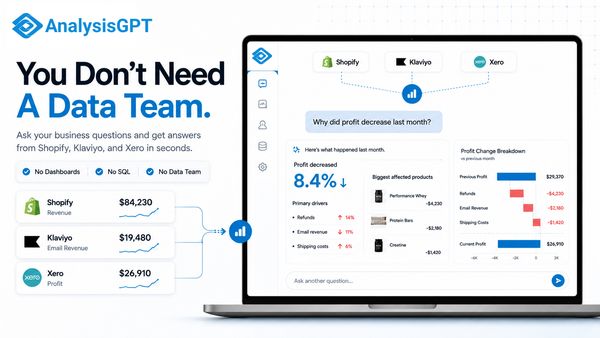
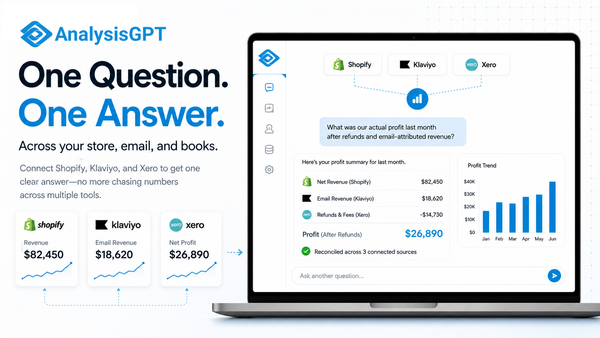
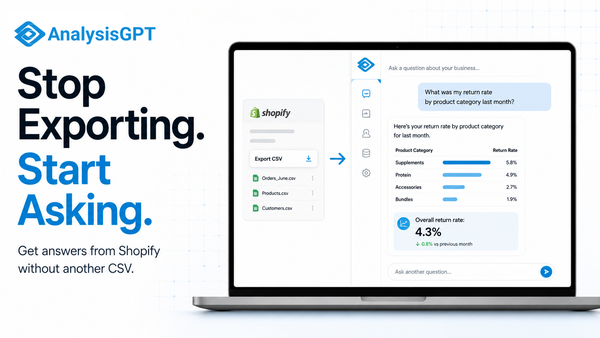
Cross-source analysis determines whether you can answer strategic questions or only operational ones. If your reporting stops at Shopify order data, you cannot connect ad spend to revenue or reconcile Shopify numbers with your accounting system. Polar Analytics offers 40+ connectors feeding a centralized data warehouse. Coefficient syncs Shopify data into spreadsheets alongside other sources. AnalysisGPT takes a different approach: connect your Shopify store, databases, or upload Excel/CSV files, then ask business questions in plain English without building an ETL pipeline (extract, transform, load). If you regularly export CSVs from multiple systems and merge them manually, a cross-source tool will save hours each week. Look for a tool that lets you combine sources without requiring a data engineer to build and maintain the pipeline.
Pricing structures that scale with your store
A tool that costs $25/month at 500 orders might cost $200/month at 10,000 orders, so pricing model matters as much as sticker price. Pricing models across these tools fall into flat monthly fees (Better Reports, Coefficient), order-volume tiers (Metorik, Report Pundit), and GMV-tiered pricing that scales with gross merchandise volume (Triple Whale, Polar Analytics). Revenue-based pricing penalizes growth faster than order-based pricing, so project your costs at two or three times your current volume before committing. Also check seat limits and access controls: if only one person can build or interpret reports, the tool becomes a bottleneck regardless of cost. Run a free trial at your current order volume, then estimate cost at double that volume before signing an annual contract.
The eight best Shopify reporting tools
Eight tools cover the main gaps in Shopify's built-in analytics, grouped by reporting category: native apps, attribution platforms, cross-source analysis, and behavioral tracking. AnalysisGPT appears at position one as this site's own product. The remaining seven were assessed against public pricing pages and documented features current as of May 2026; verify directly with each vendor before purchasing.
1. AnalysisGPT
Who it works for: Non-technical Shopify store owners and small-business operators who need answers from multiple data sources without SQL, ETL, or a data team.Best for analyzing: Ad-hoc business questions that combine Shopify orders with database records, spreadsheet files, or other connected sources.
AnalysisGPT is a conversational analytics platform. Connect your Shopify store, link a database (MySQL, PostgreSQL, SQL Server, MariaDB, or Snowflake), or upload an Excel or CSV file, then ask business questions in plain English. The platform returns analysis, charts, and narrative answers in the same conversation.
Choose AnalysisGPT if your reporting needs change faster than your team can build dashboards, or if you need to combine Shopify data with sources outside the Shopify ecosystem. Skip it if your only need is Shopify-native order summaries, where a native app handles that at lower cost.
AnalysisGPT lets you cross-reference order data with ad spend from a CSV and inventory levels from a database in one conversation, then refine the analysis without rebuilding anything. The large language model (LLM) sees only column fields and table metadata, the LLM formats the query, read-only access executes the query, and user data stays in the customer's systems.
- Key features and functions:
- Natural language queries: Ask business questions in plain English and get charts, tables, and narrative answers back.
- Shopify connector: Connect your store directly alongside other data sources.
- Cross-source analysis: Combine Shopify, database, and file-based data without building an ETL pipeline.
- Conversational follow-ups: Refine your analysis in real time without starting a new report.
- Limitations: Accounting and commerce integrations beyond Shopify are in development. Stores needing pixel-based multi-touch ad attribution will want to pair AnalysisGPT with a dedicated attribution tool like Triple Whale or Polar Analytics.
- Pricing: Free trial available. Excel plan: £20 billed every 30 days (file-based analysis). Pro plan: £90 billed every 30 days (includes Shopify and database connections).
2. Triple Whale
Who it works for: Direct-to-consumer (DTC) brands spending heavily on paid acquisition across Meta, Google, and TikTok.Best for analyzing: Which ad dollars drive purchases, tracked through first-party pixel data rather than platform-reported metrics.
Triple Whale identifies which marketing touchpoints drove each sale, a question Shopify's built-in analytics cannot answer. Its pixel-based, first-party tracking captures the customer journey across ad platforms, independent of third-party cookies or Shopify's last-click model. Moby AI layers automated analysis and recommendations on top.
Choose Triple Whale if you spend more than $10K/month on paid ads and need to know which campaigns convert. Skip it if your store does not run paid acquisition or if you need reporting beyond marketing, based on current documentation.
- Key features and functions:
- First-party pixel tracking: Captures attribution data directly, independent of third-party cookies.
- Moby AI: Surfaces automated insights and recommendations from your performance data.
- Multi-channel spend consolidation: Unifies cost and revenue data across advertising platforms in one view.
- Creative performance analysis: Identifies which ad creatives drive the highest return.
- Limitations: Pricing scales with store revenue through GMV-tiered bands, which means costs rise as you grow, based on current published pricing. The platform focuses on marketing attribution and may require additional tools for operational or financial reporting.
- Pricing: Free plan available. Starter: $179/month. Advanced: $259/month. Custom: $539/month. All paid plans are GMV-tiered.
3. Polar Analytics
Who it works for: Multi-brand operators and data-mature DTC teams with existing analytics workflows who want full ownership of their data.Best for analyzing: Centralized, warehouse-backed analytics across multiple Shopify stores, ad platforms, and operational tools.
Polar Analytics gives every customer a dedicated Snowflake data warehouse with 40+ source connectors and a first-party pixel for server-side tracking. Your data lives in a structured, queryable environment rather than being locked inside a SaaS dashboard. See Polar Analytics pricing for current plan details.
Choose Polar if you run multiple Shopify stores, need to unify data across many platforms, and have a team comfortable with SQL or data engineering concepts. Skip it if you are a single-store operator with a small team. Pricing varies by annual GMV, and the warehouse complexity will outweigh the benefits at that scale.
- Key features and functions:
- Dedicated Snowflake instance: Full data warehouse per customer with direct SQL access and data ownership.
- 40+ data connectors: Centralizes data from ad platforms, email tools, Shopify, and operational systems.
- Server-side tracking: First-party pixel captures conversions without browser-cookie dependencies.
- Multi-store consolidation: Unifies reporting across multiple Shopify stores and brands.
- Limitations: The GMV-tiered pricing model puts Polar beyond reach for early-stage stores. Teams without SQL knowledge may not fully use the Snowflake backend, which means paying for capacity that may go unused without SQL skills.
- Pricing: GMV-tiered; pricing varies by annual gross merchandise volume. Verify current rates at polaranalytics.com/pricing.
4. Metorik
Who it works for: Shopify and WooCommerce merchants focused on customer retention and lifecycle marketing.Best for analyzing: Customer segmentation, purchase behavior patterns, and email automation triggers within a single tool.
Metorik combines order reporting with customer intelligence. Its built-in segmentation lets you slice your customer base by purchase behavior, lifetime value, location, and dozens of other attributes. The Engage feature adds email automation directly inside the reporting tool, so you build segments, trigger campaigns, and measure results without switching platforms.
Choose Metorik if your growth strategy depends on repeat purchases and you want segmentation and email in one place. Skip it if you need attribution across ad platforms or if your data sources extend beyond Shopify and WooCommerce.
- Key features and functions:
- Customer segmentation: Filter customers by behavior, lifetime value, and dozens of attributes for targeted analysis.
- Engage email automation: Build and send retention campaigns directly from customer segments.
- Dual-platform support: Works with both Shopify and WooCommerce stores.
- Real-time sync: Historical data imports immediately after installation with no manual setup.
- Limitations: Metorik does not support platforms beyond Shopify and WooCommerce in its current form, based on current documentation. Stores needing ad attribution or cross-source analysis beyond these two platforms may find a better fit in a different tool category.
- Pricing: Starter plan at $25/month, scaling with order volume. Metorik holds a 4.9 rating on the Shopify App Store.
5. Report Pundit
Who it works for: Shopify merchants who need compliance reporting, tax summaries, and vendor-specific breakdowns without custom development.Best for analyzing: Structured, scheduled reports built from any Shopify data field.
Report Pundit offers more prebuilt report templates than any other native Shopify app listed here. Over 150 prebuilt templates cover the reports most stores need immediately, and a drag-and-drop editor lets you build custom reports from virtually any Shopify data object. Scheduled email delivery means your team gets numbers without logging in. The app's 5.0 rating across 1,862 reviews reflects years of reliable performance.
Choose Report Pundit if your primary need is structured, repeatable Shopify reports, especially compliance, tax, or vendor-level breakdowns. Skip it if you need to combine Shopify data with external sources. The app operates within Shopify's data model and does not pull from ad platforms, databases, or spreadsheets based on current documentation.
- Key features and functions:
- 150+ prebuilt reports: Covers orders, products, inventory, customers, taxes, and finances out of the box.
- 30+ integrations: Connects with fulfillment, accounting, and other Shopify ecosystem tools.
- Scheduled delivery: Automate report emails on daily, weekly, or monthly cadences.
- Custom report builder: Drag-and-drop editor for building reports from any Shopify data field.
- Limitations: Report Pundit does not support combining Shopify data with external sources like ad platforms or databases based on current documentation. Any cross-source analysis requires exporting data and merging it manually.
- Pricing: Free for stores under 1,000 orders. Paid plans from $9 to $60/month depending on store size.
6. Better Reports
Who it works for: Shopify store owners who want visual, code-free report building with fast setup.Best for analyzing: Operational metrics like sales by variant, inventory levels, customer cohorts, and fulfillment tracking without writing formulas.
Better Reports makes Shopify's data accessible to people who are not comfortable with spreadsheets or code. The visual builder lets you select fields, apply filters, choose chart types, and arrange columns. The app's 5.0 rating with over 1,100 reviews reflects consistent ease-of-use.
Choose Better Reports if you need a low-cost, low-complexity way to extend Shopify's built-in analytics with custom operational reports. Skip it if your questions involve data outside Shopify. Ad spend, database records, and multi-platform consolidation require a different tool category.
- Key features and functions:
- Drag-and-drop builder: Create reports visually without formulas or code.
- Calculated fields: Add custom metrics like margin percentages and discount impacts directly in reports.
- Scheduled exports: Deliver reports via email on a recurring schedule.
- Instant setup: Installs from the App Store with immediate Shopify data access.
- Limitations: Like other native apps, Better Reports is limited to data available through Shopify's API, based on current documentation. Cross-source analysis requires a separate workflow.
- Pricing: Starting at $19.90/month.
7. Google Analytics (GA4)
Who it works for: Stores with marketing teams already embedded in the Google ecosystem who need behavioral web analytics.Best for analyzing: Session flows, conversion funnels, traffic source quality, and user behavior patterns, all free.
GA4 captures behavioral data Shopify ignores, including how users navigate your site, where they abandon checkout, which traffic sources produce high-value sessions, and how conversion paths unfold across multiple visits.
Choose GA4 if you need free behavioral tracking and your team is comfortable with Google's analytics interface. Skip it if you need Shopify-specific operational metrics (cost of goods, inventory, fulfillment) or if nobody on your team has time to learn GA4's dimension-and-segment model.
- Key features and functions:
- Free standard access: Full behavioral analytics at no cost.
- Event-based tracking: Captures granular user interactions beyond pageviews.
- Conversion path modeling: Maps multi-step customer journeys across sessions and devices.
- Google Ads integration: Native connection for campaign-level performance data.
- Limitations: GA4 does not include Shopify-specific metrics like cost of goods, inventory levels, or fulfillment status, based on current documentation. Setting up enhanced ecommerce tracking requires developer involvement or a tag management tool.
- Pricing: Free for standard use. GA4 360 available for enterprise needs.
8. Coefficient
Who it works for: Finance, operations, and marketing teams that build models, reconciliations, and dashboards in Google Sheets or Excel.Best for analyzing: Live Shopify data piped into existing spreadsheet workflows alongside other sources, with no new interface to learn.
Coefficient brings live Shopify data into the spreadsheets your team already uses. Connect your store, select data fields, set a sync schedule, and your formulas, pivot tables, and charts update automatically.
Choose Coefficient if your team's analytical strength lives in spreadsheets and you want live data feeds without switching tools. Skip it if you need analysis beyond what spreadsheet formulas can handle.
- Key features and functions:
- Live Shopify sync: Pulls order, product, and customer data into Google Sheets and Excel automatically.
- Scheduled refresh: Keeps spreadsheet data current without manual CSV exports.
- Multi-source connections: Combines Shopify data with other platforms inside one workbook.
- Familiar interface: No new tool to learn if your team already works in spreadsheets.
- Limitations: Analysis complexity is bounded by spreadsheet capabilities. Large datasets can degrade workbook performance, and version control across team members requires separate tooling based on standard spreadsheet limitations.
- Pricing: Free plan available. Starter at $49/month.
How to choose the right tool
Most growing Shopify stores need two or three tools, one per reporting category, because no single platform handles attribution, operational reporting, and cross-source analysis equally well.
Match your stage to the right starting point
Your current order volume and primary reporting gap determine which tool to add first.
Avoid paying for overlapping dashboards
Pick one tool per reporting need rather than paying for three dashboards that show the same order data. A scaling DTC brand typically needs one native app for operations, one attribution platform, and one cross-source tool.
Frequently asked questions
Pricing, SQL requirements, and cross-source capability are where Shopify reporting tools diverge most.
What free Shopify analytics tools exist?
Six free options cover different needs: GA4 for behavioral analytics, Report Pundit for stores under 1,000 orders, Triple Whale's free plan for basic attribution, Coefficient's free tier for spreadsheet syncing, AnalysisGPT's free trial for cross-source analysis, and Shopify's built-in analytics. Start with GA4 and Shopify's native analytics, then add a free-tier tool when you hit a reporting gap.
Can I combine Shopify data with other sources?
AnalysisGPT, Polar Analytics (40+ connectors), and Coefficient (spreadsheet sync) all pull Shopify data alongside other sources. Native apps like Report Pundit and Better Reports are limited to Shopify data only.
Do I need SQL to use these tools?
Most tools on this list require no SQL. AnalysisGPT accepts plain-English questions, native apps use point-and-click interfaces, and Coefficient relies on spreadsheet skills. Only Polar Analytics offers direct SQL access through its Snowflake backend, though it also includes a visual interface.
What is the best Shopify reporting tool for small businesses?
Start with Report Pundit (free under 1,000 orders) or Better Reports (from $19.90/month) for Shopify-native reporting, and add AnalysisGPT's free trial when you need to combine Shopify data with spreadsheets or databases. The best choice depends on whether your first gap is operational reporting, customer intelligence, or cross-source analysis.
How do native apps differ from standalone analytics platforms?
Native apps install from the App Store, connect instantly, and stay within Shopify's data model. Standalone platforms like Triple Whale, Polar Analytics, and AnalysisGPT connect to additional sources and capture data Shopify misses (like multi-touch attribution or cross-source queries). Standalone platforms cost more, take longer to set up, and sometimes require a steeper learning curve.
Which Shopify reporting tools have AI features?
AnalysisGPT is built entirely around conversational AI, where you ask business questions in plain English and receive analysis, charts, and insights. Triple Whale's Moby AI and GA4's anomaly detection layer AI on top of traditional dashboards rather than using it as the primary interface.
Start with the question, not the dashboard
The best Shopify reporting tool is the one that answers the question your team keeps answering manually. Use native apps for Shopify-only operational reports, attribution platforms for paid-media questions, spreadsheets when your team already models data there, and cross-source analytics when the question spans Shopify, files, databases, or finance data. Start with the reporting gap, not the dashboard category.
Every tool on this list solves a real gap in Shopify's built-in analytics, but no single tool covers attribution, operational reporting, and cross-source analysis at the same time. Start with the category that matches your most pressing reporting gap, run a free trial at your current order volume, and project costs at double that volume before committing to an annual plan.