Connecting QuickBooks and Shopify solves an accounting problem. Orders flow in automatically, payouts reconcile, and your books stay clean without manual data entry. Tools like A2X, Synder, and ConnectBooks do exactly this - and for most Shopify operators, that's where the story ends.
But the connection also creates something else: a data infrastructure that makes four specific business questions answerable for the first time. Which products are actually profitable after all costs? Which customers are worth the most when you account for returns? How much cash will you actually have in 30 days? Which marketing channels drive profitable customers rather than just a high volume of orders?
Neither Shopify alone nor QuickBooks alone can answer any of those questions. Once the two systems are connected and their data sets are combined, they can - and the answers change how you run the business.
Key takeaways
- Connecting Shopify and QuickBooks creates more than cleaner bookkeeping. The integration automates order reconciliation, refunds, and payouts, but its biggest value comes from combining operational and financial data into a single source of truth.
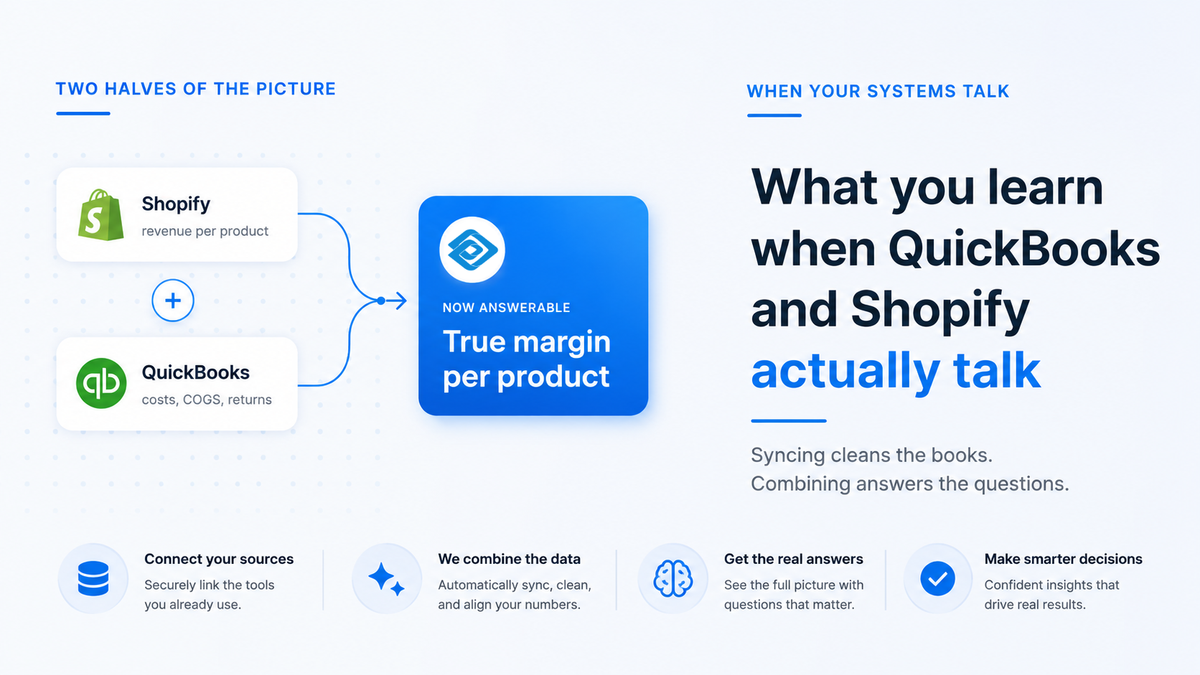
- Product profitability becomes measurable. Shopify shows revenue while QuickBooks holds costs. Together, they reveal true product margins after COGS, shipping expenses, and returns are factored in.
- Customer value looks different when refunds are included. Combining purchase history with financial refund data produces a more accurate lifetime value calculation and helps identify the customers and acquisition channels that generate the most net value.
- Cash flow forecasting becomes far more reliable. Shopify provides visibility into incoming revenue and payouts, while QuickBooks tracks cash balances, bills, and obligations. Together, they support forward-looking cash planning instead of reactive decision-making.
- Marketing performance can be measured by profit, not just revenue. Once advertising, order, and cost data are connected, businesses can identify which channels generate the most profitable customers rather than simply the highest ROAS.
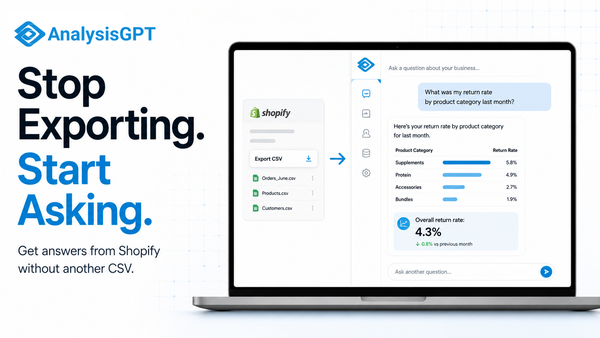
- Conversational analytics makes the combined data accessible. Platforms like AnalysisGPT let operators ask questions across Shopify and QuickBooks in plain English, turning connected data into actionable business insights without dashboards, SQL, or data engineering.
What the connection actually does (and doesn't do on its own)
The connection works by routing your Shopify data into QuickBooks without manual entry. Orders become financial records, payouts match bank deposits, and refunds flow to the right accounts automatically. This eliminates hours of reconciliation work and reduces accounting errors, which is genuinely valuable.
But there's a distinction worth holding onto. The sync creates accurate records of what happened - every transaction, every payout, every refund in its correct account. That's accounting. What it doesn't do automatically is tell you what those records mean for your business decisions. That requires asking questions across both data sets: Shopify's order and customer history alongside QuickBooks' cost records, cash position, and financial accounts.
Most operators use the connection as a bookkeeping tool and stop there. The more useful layer - what you can learn once both systems are talking - is what the rest of this article covers. Four specific questions become answerable that couldn't be answered from either system alone, and each one maps to a decision that most Shopify operators make by feel rather than by data. If you're not yet using QuickBooks and Shopify together, five signs you've outgrown spreadsheets is a useful starting point.
True profitability by product
Shopify tells you revenue per product. QuickBooks holds the cost of goods sold (COGS) - the direct cost of making or acquiring each product - along with shipping expenses and refund data. Neither system alone gives you the number that actually matters: true margin per product after every cost.
The calculation: revenue minus COGS minus shipping minus returns gives you what each product actually earns. According to TrueProfit's analysis of more than 5,000 ecommerce stores, most ecommerce businesses run net profit margins between 18% and 26% at the business level. At the product level, the range is far wider - and the catalog often looks very different once you run every product through the real math.
Stores that skip this calculation often find that their highest-revenue products aren't their most profitable. A product with a 40% gross margin that ships in a large box, carries a 15% return rate, and sells mostly at a discount can deliver a net margin well below the store average. A smaller product with a 25% gross margin and near-zero returns sometimes outperforms it at the net level.
The insight changes how you think about inventory and promotions. Products that look like winners by revenue might be margin-negative after shipping and returns. Products you've been treating as secondary lines might be your strongest earners. That realization tends to change which products get promoted, which get discounted, and which get quietly discontinued.
The data you need for this calculation exists in both systems right now. Shopify holds gross revenue per product, unit volume, and return counts. QuickBooks holds COGS per product (if you've set up inventory tracking) and the actual shipping expenses recorded against each order batch. Pulling those two sources together is the step most operators haven't taken - not because the data is missing, but because it lives in two places and neither system surfaces the combined picture automatically.
The QuickBooks-Shopify connection doesn't do this analysis automatically. But it puts the data in the same place so the question becomes answerable.
Customer lifetime value with refunds factored in
Customer lifetime value (CLV) - how much a customer is worth to your business over their full purchase history - is a standard ecommerce metric. Most CLV calculations use order history: total orders, average order value, purchase frequency. The problem is that purchase frequency without return frequency gives you an inflated picture of what each customer is actually worth.
A customer who orders 10 times and returns five of those orders is worth about half of what the order count alone suggests. A customer who orders six times and never returns is often more valuable. Once QuickBooks refund data combines with Shopify purchase history, those two customers look very different in the numbers.
The practical consequence shows up in marketing segmentation. If you're targeting high-purchase-frequency customers without filtering out high-return customers, you're spending on a group that includes a meaningful proportion of low-net-value buyers. Refund-adjusted CLV gives you a more accurate picture of which customers are actually worth acquiring and retaining.
This matters most at the cohort level. Customers acquired through different channels, at different times, or for different product lines often have very different return behavior. A customer cohort from a flash sale promotion might have strong order volume and weak net value due to high return rates. A cohort from a specific referral channel might order less frequently but return almost nothing - and be worth considerably more over time. The segmentation only becomes visible when purchase data and refund data are in the same analysis.
Most CLV tools work from Shopify data alone. They can't factor in returns because return financial data - the credit memos, refund journal entries, and net payout adjustments - lives in QuickBooks. Once those two sources are connected, CLV becomes a net figure rather than a gross one. The decision about which customers to target, which retention campaigns to run, and which acquisition channels to scale becomes grounded in actual value rather than order count.
Cash flow you can actually plan around
Ecommerce cash flow is harder to predict than it looks from the Shopify dashboard alone. Payouts are delayed two to three business days, refunds create unpredictable outflows, and inventory purchases often happen weeks before the revenue arrives. These timing mismatches make cash planning genuinely difficult from any single data source.
The most widely recommended tool for ecommerce cash planning is a 13-week rolling cash flow forecast - a forward-looking view of cash in and cash out, updated weekly. Building one requires both your Shopify pipeline data (pending revenue, expected payouts, outstanding orders) and your QuickBooks data (current cash balance, outstanding payables, upcoming bills). Shopify shows what's coming in; QuickBooks shows your current position and obligations. Neither alone gives you the full forward picture.
In practice, the two data sources answer different questions. Shopify tells you: what revenue is in the pipeline, when payouts are expected, and how much is tied up in unfulfilled orders. QuickBooks tells you: what your current cash balance is, which supplier invoices are due and when, and what fixed costs are coming. Combining them turns a static cash position into a dynamic forward view.
For most Shopify operators, the invisible danger isn't a slow month - it's a timing mismatch. You've paid for inventory that hasn't sold. A large refund batch hit last week. Shopify payouts are queued for Tuesday. Meanwhile, a supplier invoice is due Friday. Each of those facts lives in a different place. Pulling them into a single 13-week view is how operators catch that Friday invoice before it becomes a missed payment - rather than after.
Operators who build this forecast tend to identify cash-flow problems 30 to 60 days before they become crises - time to adjust inventory orders, delay non-essential spend, or accelerate collections before the shortfall arrives rather than after. The alternative - discovering a cash gap when it's already here - leaves far fewer options.
Which marketing channels drive your most profitable customers
Most ecommerce marketing teams track ROAS as their primary measure of channel performance. ROAS stands for return on ad spend - the total revenue generated for every dollar of advertising investment. It's a revenue metric, and revenue is not profit.
Research cited by Endless Commerce, attributed to McKinsey, suggests that brands tracking contribution margin by channel - a measure that factors in COGS, fulfillment costs, and returns alongside revenue - grow 40% faster than brands optimizing for gross margin alone. Whether or not that precise number holds across all business types, the underlying point is well-supported by ecommerce finance practitioners: the channels with the best ROAS are not always the channels with the best profit per customer.
Answering that question requires connecting three data sets: marketing spend by channel, Shopify order data that links customers to their acquisition channel, and QuickBooks cost data for COGS and fulfillment per order. With all three combined, you can ask which channel brings in customers who deliver the most value at the net level - and direct your budget accordingly.
The channel-level picture often contains surprises. Paid social might generate strong ROAS but attract customers who buy in higher volumes with a product mix skewed toward low-margin items. Email or organic search might generate lower ROAS but bring in customers who buy less frequently, return rarely, and have higher net value per order. Without the cost data from QuickBooks layered onto the channel data from Shopify, those patterns stay invisible. With it, budget decisions start from actual profitability rather than revenue volume.
Where AnalysisGPT fits in
AnalysisGPT connects directly to both Shopify and QuickBooks - both integrations are live as of May 2026. Once connected, you can ask questions in plain English across both data sets. No SQL (a programming language for querying databases). No dashboard to configure. No data engineering required.
The kinds of questions the platform is built for: "Which product categories have the highest margin after returns and shipping this quarter?" "Which customer cohort from last quarter has the highest 90-day lifetime value?" "What is my projected cash position in 30 days based on current Shopify orders and QuickBooks payables?"
The data security model is worth understanding. The LLM sees only column fields and table metadata, the LLM formats the query, read-only access executes the query, and user data stays in the customer's systems. Your actual transaction data never passes through the AI model.
The four insight types covered above are exactly what AnalysisGPT is built for - cross-source questions that neither Shopify nor QuickBooks can answer alone, but that the connected data can. If you want to understand the full range of tools in this space, the best AI analytics tools for small business in 2026 covers the category. AnalysisGPT gives you a free 30-day trial to connect your data and start asking questions.