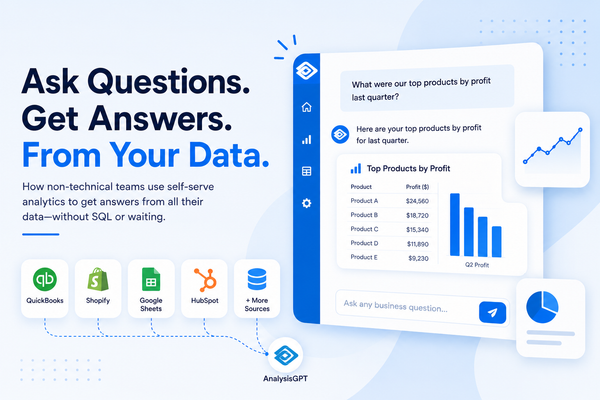
“What were our top-selling products last quarter?”
You type the question and immediately get an answer in a chart, a number, or maybe a summary; no formulas or structured query language (SQL). You don’t have to wait for someone on the data team to build a report.
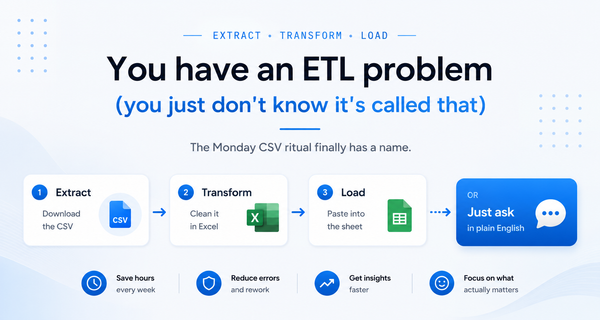
Right now, getting the answer probably means opening Shopify, exporting a CSV, pasting it into a spreadsheet, and building a formula. That process, repeated across every business question you ask, adds up to a lot of time spent. SMB owners say they’re losing an average of 96 minutes per day in productivity, some of it likely spent cleaning up data, searching through multiple tools, and figuring out which numbers are current.
Natural language analytics, sometimes called conversational analytics, is software that lets you ask questions about your data in plain language and get answers back. It's been a feature in enterprise tools for years. But now it works well enough and costs little enough for a 30-person company to use.
Here we cover: what natural language analytics is, what it looks like in practice, where it works well and where it doesn’t, and how to evaluate whether it’s right for your business.
Key takeaways
- Natural language analytics, or conversational analytics, lets you ask questions about data in plain language. It removes time-consuming challenges and the need for technologically advanced efforts.
- Natural language analytics is most valuable when your data lives across multiple tools. Platforms that connect to your existing tools (Shopify, QuickBooks, your CRM) save significantly more time than file-upload-only tools.
- Not every natural language analytics tool functions the same way. The right choice depends on how your team works and where your data lives.
How natural language analytics works (without the jargon)
Natural language analytics is essentially teaching computers to understand human language. Computers are programmed to understand codes and exact commands, but humans don’t talk in code or clear commands. So we taught computers to understand the way humans talk and write. Now you can use this technology to analyze large datasets.
Say your business gets 1,000 reviews. Natural language analytics will summarize the reviews for you by:
- Breaking each review and sentence into pieces
- Figuring out what the words mean together (i.e., “I love this” and “I don’t love this” have almost the same words but opposite meanings, so the computer learns to catch that)
- Looking for patterns (i.e., if 300 people say “slow,” “broken,” and “frustrating” about an app, the computer can tell you: People are unhappy, and it’s likely a performance issue)
It can do the same thing if you input a question about a dataset or numerical information. You can upload a file or connect a tool (e.g., Shopify or QuickBooks), plug it into a natural language analytics platform, and ask it a plain language question like, “Which customers haven’t bought anything in over 90 days?” You just ask your question in the same way you would ask a human analyst.
What natural language analytics really looks like
Here’s what natural language analytics looks like in practice. In each scenario below, a task that currently eats up hours of manual work gets replaced by typing a question.
Ecommerce companies (Shopify + QuickBooks)
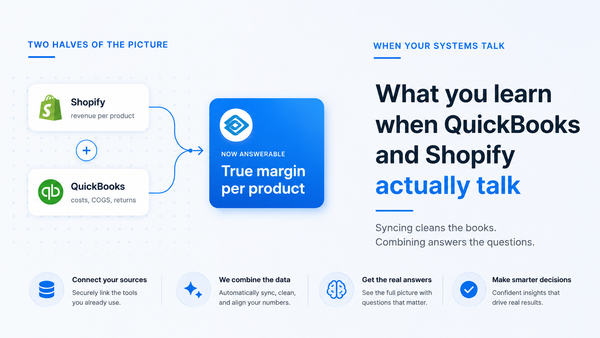
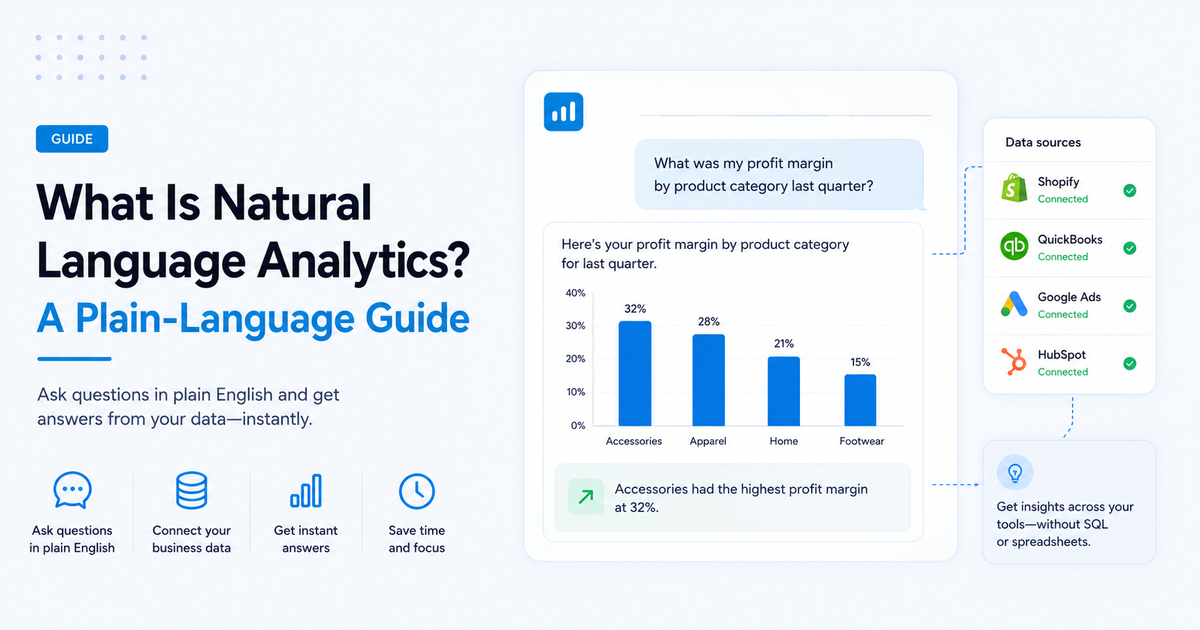
An ecommerce operator could ask a natural language analytics platform, “What was my profit margin by product category last quarter?” Getting the answer currently means you have to export data from Shopify, match it with COGS from QuickBooks, and build a spreadsheet with the numbers from both platforms. This process gets incredibly time-consuming, with 17% of SMB owners saying that switching between apps and tools equals time wasted. With natural language analytics, you type the question and get a chart showing margins by category, with the data pulled from both systems automatically via integrations. From there, you can determine which products to cut or promote.
Services businesses (CRM + QuickBooks)
Services businesses use their customer relationship platforms, like HubSpot or Salesforce, and their accounting software, like QuickBooks, to analyze their data. Operators need data from both systems without spending hours finding and organizing the information and creating a report. To get the answer to “Which clients generated the most revenue but took the longest to pay?” operators currently need to cross-reference both systems manually, digging through invoices in QuickBooks while constantly switching back and forth to the CRM. Natural language analytics gives you the answer quickly, so you can adjust payment terms or set up automatic invoicing for customers who take longer to pay.
Marketing managers (Google Ads + Shopify)
As a marketing manager, one of the most important questions is, “Which ad campaign drove the most profitable customers last month?” The tricky part is connecting ad spend to actual purchase data and profit margins. Many marketing managers today are probably exporting a report from Google Ads, downloading order data from Shopify, and pulling the data together in a spreadsheet, trying to match Urchin Tracking Module (UTM) parameters (aka tags added to the end of a URL to help with attribution). Natural language analytics tools that connect to both sources can answer this question in just one sentence, or via a chart or report. Then you can reallocate your ad spend to the more profitable ad campaigns.
Finance leads (QuickBooks + spreadsheets)
As a finance lead, you likely use analytics to make important cash flow decisions and report to leadership. But to answer the question, “Are we on track to hit our quarterly revenue target?”, you currently need to pull a QuickBooks report, compare against the forecast spreadsheet, and do some mental math. You might even spend more time reconciling numbers across tools than actually analyzing them. You’re not alone; 53% of SMB leaders say that data is often inconsistent across tools. Natural language analytics connects to multiple sources and reconciles the numbers for you, so you can ask the question and get a projection based on your current trajectory.
Where natural language analytics works well (and where it doesn’t)
Natural language analytics handles the recurring, concrete, answerable questions that currently take up hours of manual work. It doesn’t replace a data analyst for complex analysis. It replaces the everyday business challenge of asking someone to pull a report and waiting three days for an answer.
It works well for:
- Structured business questions with clear answers: “What were revenue trends last quarter?”
- Questions that span multiple data sources: “Which marketing channel drives the most profitable customers?”
- Recurring questions that require a report or dashboard: Think monthly website visits or cashflow snapshots.
- Teams where the person asking the question is not the person who builds reports: For example, you’re an operations lead building the reports, but the founder/owner is asking the question.
Where it falls short:
- Ambiguous or subjective questions: “Is our pricing strategy working?”
- Datasets without a clean structure or consistent naming: These tools struggle to correctly interpret datasets with missing fields or inconsistent labels.
- Deep statistical analysis or custom models: E.g., regression analysis, creating forecasting models, or anything that requires a data scientist to build from scratch.
- Replacing human judgment for complex strategic decisions: Natural language analytics can tell you what the numbers mean, but not what to do with them.
How to evaluate if natural language analytics is right for your business
Use these four questions to self-assess whether natural language analytics could benefit your reporting processes.
- Do you ask the same questions about your data regularly? If yes, natural language analytics saves the most time on recurring queries. Once the system understands how to translate your question into the right data query, it can instantly repeat that same logic each time. It will still pull fresh data, but you don’t have to rebuild the query from scratch.
- Is your data spread across multiple tools? Tools that connect to multiple sources (QuickBooks + Shopify + CRM) offer more value than tools that analyze one file at a time. If you have to feed the natural analytics system the data from one tool at a time and get individual reports from those tools, your data is still siloed.
- Does your team have a data analyst? If not, natural language analytics fills the gap. If you do, it handles the routine questions so the analyst can focus on complex work.
- How sensitive is your data? Some tools process data through AI models directly. Others keep data out of the AI layer. For financial and customer data, this matters. Check each vendor’s privacy policy to see if it mentions whether they offer a data processing agreement.
Tools that offer natural language analytics
From tools where natural language is the entire product to tools where it’s one feature, the right choice depends on whether you want a dedicated analytics platform or an AI upgrade to tools you already use.
Purpose-built conversational analytics platforms
Purpose-built conversational analytics tools have one main purpose: to let you ask questions about your data using plain language and get clear answers right away. The interfaces, the integrations, and the way the tools were built are all made with that in mind. You simply open the tool, connect your data sources, and start asking questions. You’ll get answers in the form of straightforward sentences or in visuals like charts or tables.
Examples of purpose-built conversational analytics platforms: AnalysisGPT and Datapad
AI features within traditional BI tools
Traditional business intelligence (BI) tools are adding AI features that allow for natural language analytics. The platforms were originally designed for data teams who know how to build reports and dashboards. The natural language analytics features are useful additions, but they’re part of a more complex toolset (i.e., a steeper learning curve). If you’re just looking to ask questions and get answers, you may have to navigate a lot of other functionality that you don’t need.
Examples of AI features within traditional BI tools: Power BI’s Copilot, Zoho Analytics’ Zia, and Looker Studio’s Gemini
AI data analysis tools
AI data analysis tools analyze data through file uploads. You drop a CSV or spreadsheet into a chat interface and ask questions about it. They’re flexible and useful for one-off analysis, but they’re not connected or integrated with your business tools. Every time you want an answer, you’re exporting a file and starting fresh, which means you’re still doing some manual work.
Examples of AI data analysis tools: Julius and ChatGPT Advanced Data Analysis
AI-powered spreadsheets
AI-powered spreadsheets look and feel like the spreadsheets you already use, but with natural language built in. Instead of writing formulas or building pivot tables, you can ask a question (via a chat or pop-up) and let the tool do the work. If your data already lives in spreadsheets and you’re not ready to move to a new platform, this is the lowest-lift option, but you’re still working within the constraints of a spreadsheet.